+9
No addresses · No QR codes · Just a tap

Meet Taply
Send crypto
with just a tap

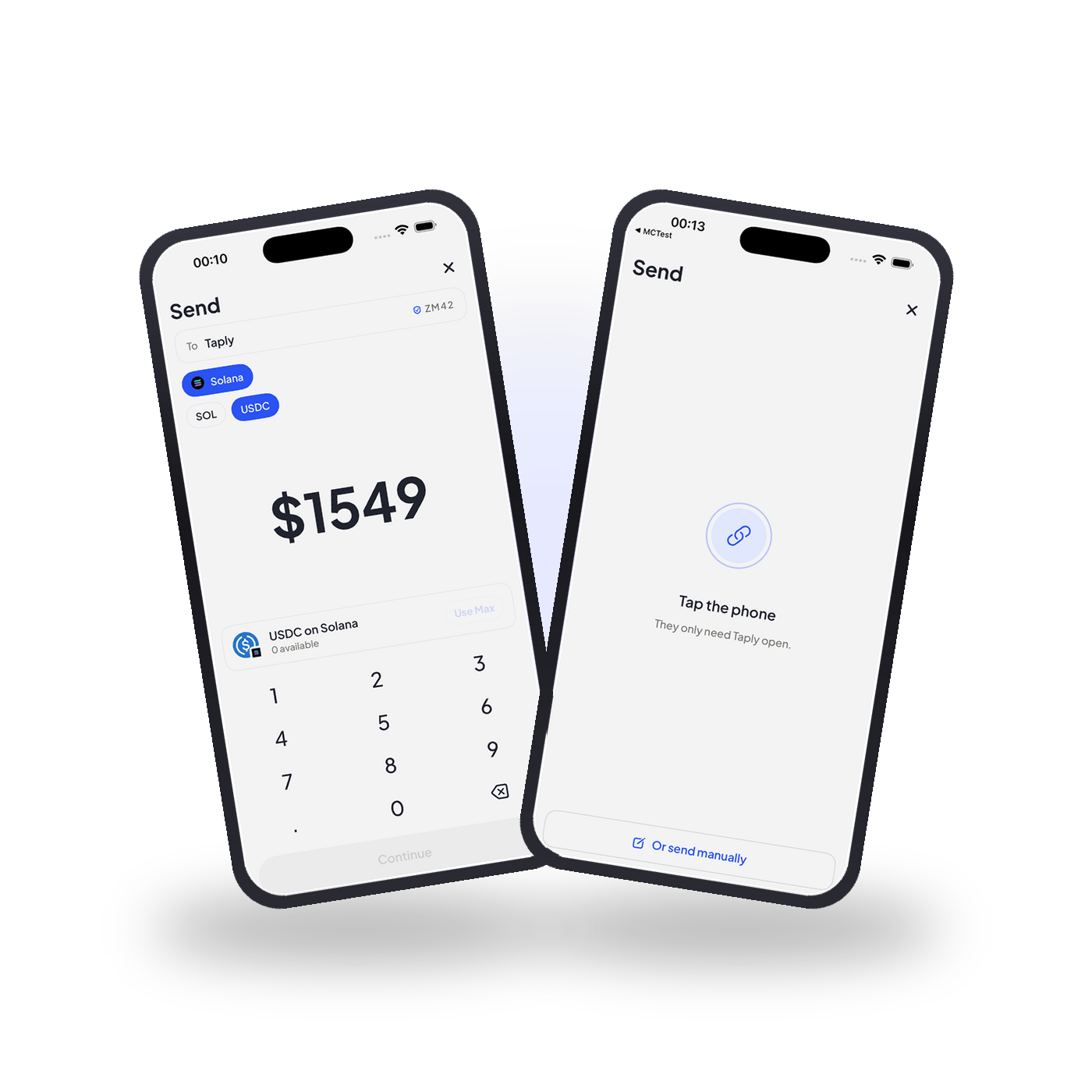
Meet Taply, the simplest way to hand someone crypto in person. Bring two phones together, check the details, confirm — and it's settled on chain.
hero-preview

Tap phones. Send crypto.

Three steps, and only one of you has anything to do. The person getting paid just needs the app open.

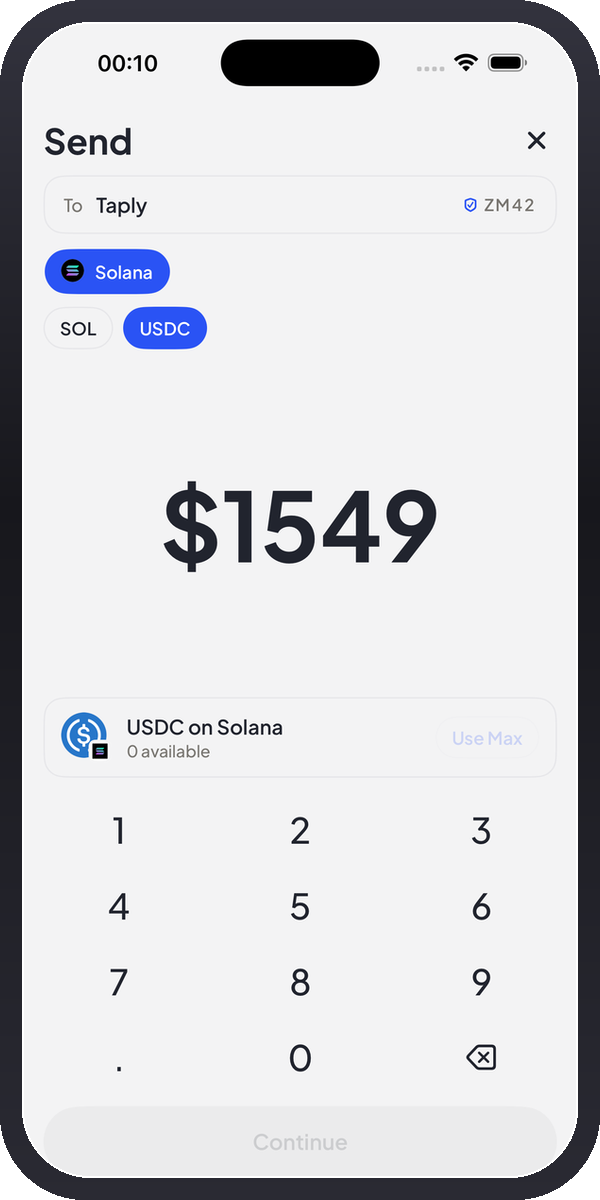
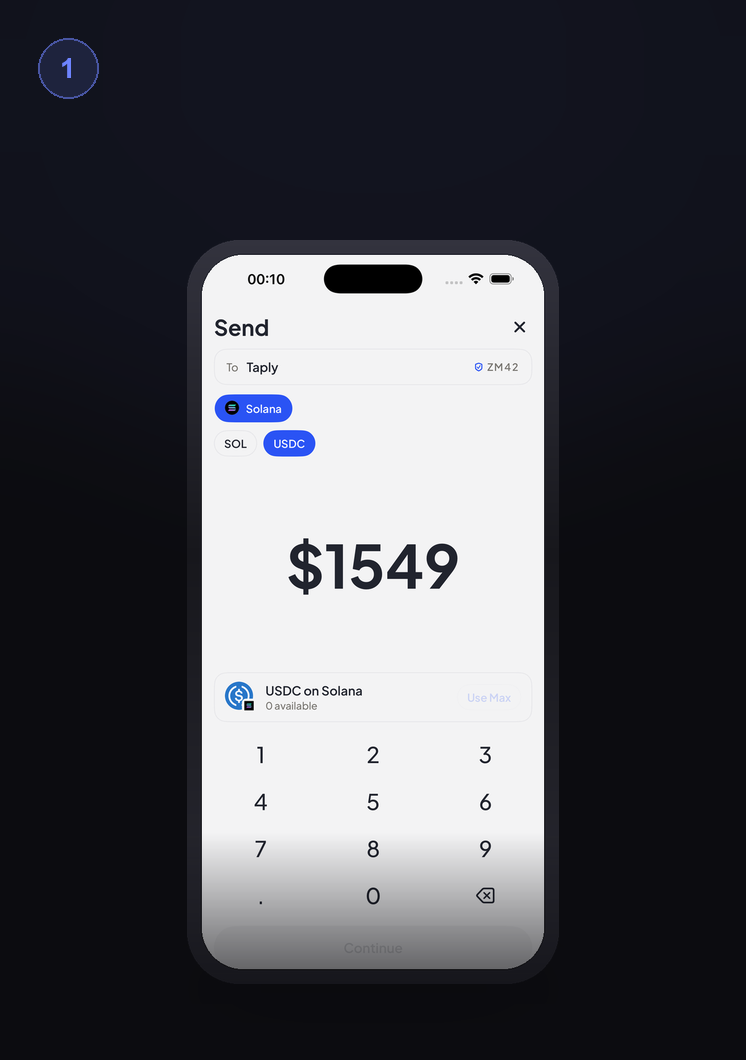
The send screen: recipient, chain and token chips, amount and keypad

Step one

Enter the amount

Pick the chain and the token, then type what you’re sending. A short code appears beside their name.

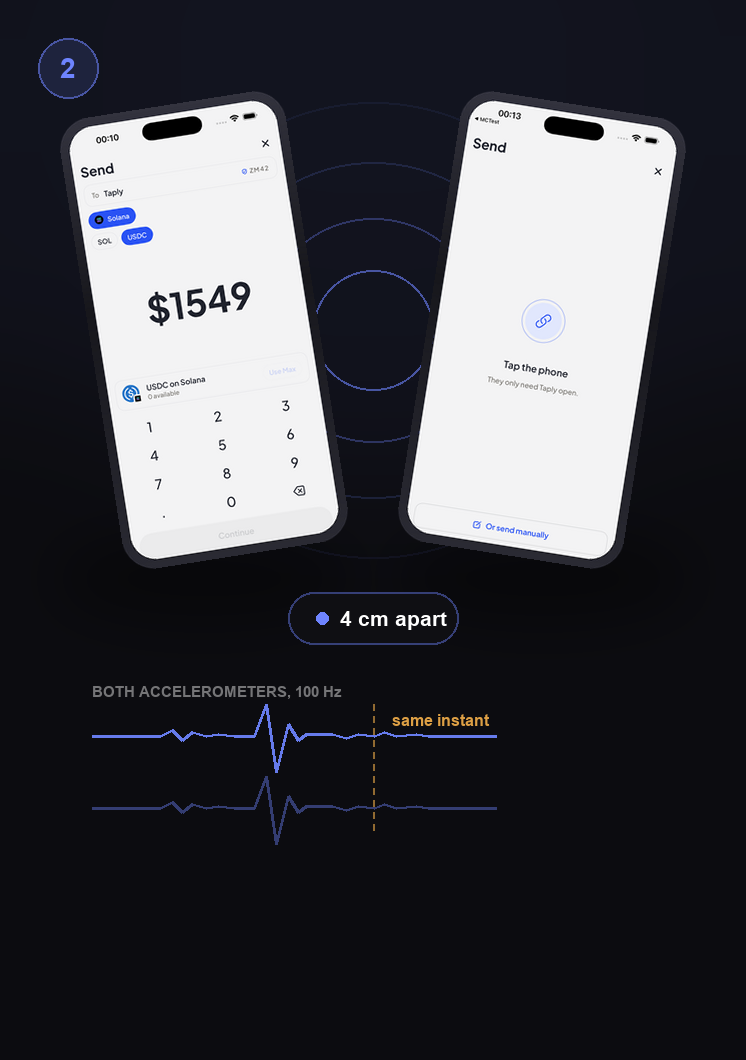
Two phones touch; both accelerometers spike at the same instant and Ultra Wideband reads the gap

Step two

Tap the phones together

Both accelerometers spike in the same instant, and Ultra Wideband reads the gap in centimetres. That knock is the whole handshake.

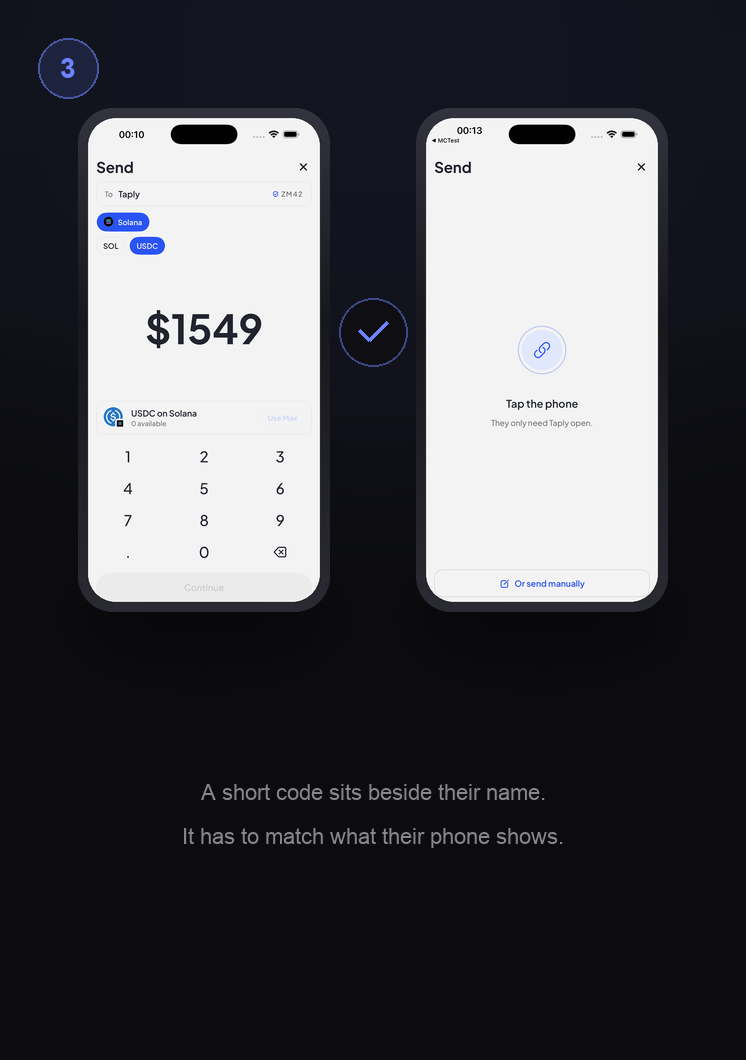
The sender’s screen beside the recipient’s, with the code that has to match

Step three

Confirm, and it’s gone

Check the code against their screen, hold to send, and Solana settles it. They never typed anything.

What does Taply include?

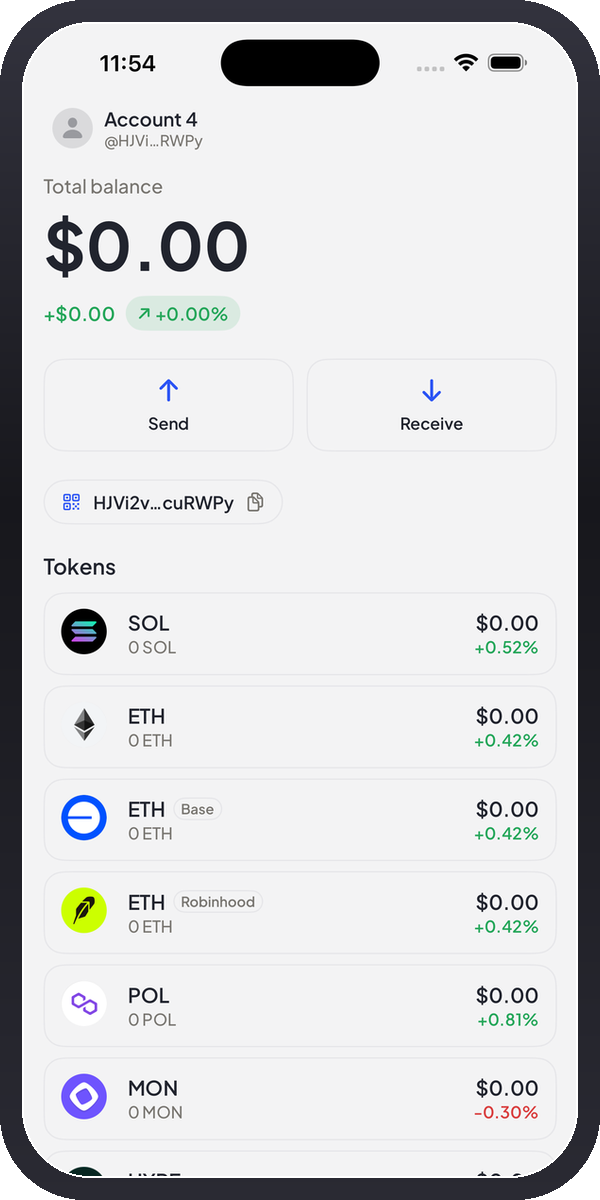
A wallet, a tap, and a receipt. The blockchain is still underneath — it just stops being your problem.

Taply App Preview

Why choose Taply?

Taply is the fastest way to pay someone standing in front of you.

No addresses, ever

Nobody reads out a wallet address, pastes a string, or squints at the first four characters. The two phones exchange it themselves, so there is nothing left to get wrong.

Built on Apple's own frameworks

Ultra Wideband measures the distance between the phones in centimetres. The accelerometers confirm the knock. No private APIs, no third-party SDKs, nothing to install.

Settles on the chain, not on trust

The exchange between the phones never touches a server. Once you confirm, the transaction is signed on your device and goes straight to Solana — SOL or any SPL token — and the block explorer is your receipt.

New feature

A short code
so both phones agree
before you send

Four characters beside their name. If it doesn’t match what their phone shows, don’t send.

Taply confirm screen showing the safety phrase

The awkward part, deleted

Handing someone crypto in person has always been a small ceremony of copy, paste and double-check. None of it was ever the point.

Every other wallet
  • Ask them for their wallet address.
  • Wait while they dig it out, screenshot it, or read 44 characters aloud.
  • Paste it in and squint at the first four and last four characters.
  • Hope nothing touched the clipboard and the network is the right one.
  • Send it, then ask them to check whether it actually landed.
With Taply
  • Enter the amount and pick the token.
  • Knock the two phones together.
  • Check the code matches theirs, then hold to confirm.
  • Both screens say done, with a signature to prove it.

The wallet address never leaves either phone by any route you have to trust. It crosses the last four centimetres and nowhere else.

Frequently asked questions

The ones people ask before they trust a tap with their money.

Do I ever have to type a wallet address?

No. That is the entire reason Taply exists.

The two phones exchange addresses themselves, over an encrypted link, and only once they have physically touched. Nobody reads out 44 characters, nobody pastes anything, and there is no clipboard for malware to swap.

Worth knowing: You never see your own address either, unless you go looking for it in Settings.

Which coins can I send?

SOL, USDC, and any other SPL token in your wallet. You pick it on the send screen before you tap.

  • The recipient does not need to already hold that token — the app handles the account for them.
  • Solana stays the settlement layer either way, so the fee is a fraction of a cent.
  • Only one token per tap. Sending two things means two taps.

Is this NFC, like Apple Pay?

No, and it does not need to be. iPhone-to-iPhone card emulation requires an Apple entitlement built for banks, transit operators and ID issuers — not something a peer-to-peer crypto wallet gets handed.

So the tap is reconstructed from two signals that are ordinary public API:

  • Both phones sample their accelerometer at 100 Hz. A knock spikes above roughly 2.2 g, and each phone tells the other the instant it feels one. Two spikes inside 1.2 s of each other means the phones hit each other.
  • On iPhone 11 and newer, Ultra Wideband reports the distance to the other phone in centimetres. Under 8 cm opens the gate on its own. UWB ranging is time-of-flight, so it cannot be spoofed from across the room.

Either signal alone is enough, which is why it still works on phones without a U1 chip.

What stops someone from swapping the recipient address in the middle?

The attack worth worrying about is address substitution: something in between replaces the recipient address with its own and you pay a stranger. Encryption on its own does not stop that.

So both phones derive a short code from both addresses, the amount and a one-time nonce, and show it beside the recipient’s name. If any of those fields differ between the two devices, the codes stop matching. Same idea as Signal’s safety numbers.

The one rule: Look at the other phone. If the code is not identical on both screens, do not confirm — cancel and tap again.

Do both phones need internet?

The tap itself does not. Discovery, the address exchange and the safety phrase all run locally between the two devices, with no server in the middle.

Broadcasting the signed transaction to Solana does need a connection — but only on the sender’s phone, and only for that one moment.

Also required: Both apps have to be in the foreground. iOS shuts the local link down in the background, so receiving with the phone in your pocket is not something we can honestly offer.

Who holds my keys?

You do. The keypair is generated on your phone and lives in the Keychain, marked so it never syncs and never leaves the device.

  1. 1There is no Taply account, no email, and no server holding a copy.
  2. 2Signing happens on the device, inside the app, at the moment you hold to confirm.
  3. 3We cannot freeze a transfer, reverse one, or recover a wallet for you.

Before you put real money on it: Set up your recovery phrase in Settings. A key that only exists in one Keychain dies with the phone it was on.

Background gradient
Transaction layer

Verified byte for byte

The transfer builder was ported line for line to JavaScript and byte-compared against @solana/web3.js building the same transaction — at 1 lamport, at 1 SOL, and at the boundaries in between.

28/28vector tests
0differing bytes